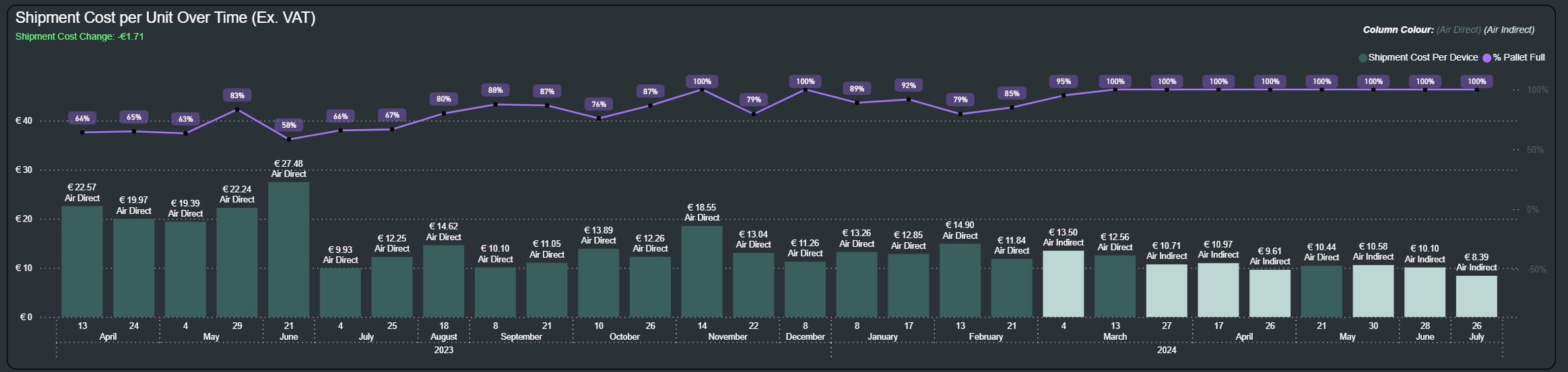

Reduce Shipping Costs
Track shipment cost per device, pallet fill percentage, and route efficiency instantly.
Why Stock Management Matters

Improve Supplier Management
We turn your raw data into clear dashboards, reports, and insights so you can spot trends, understand performance, and make confident decisions.

Make Data-Driven Decisions
We build tools and automations that handle repetitive processes for you, reducing errors and freeing up your time to focus on what actually matters.
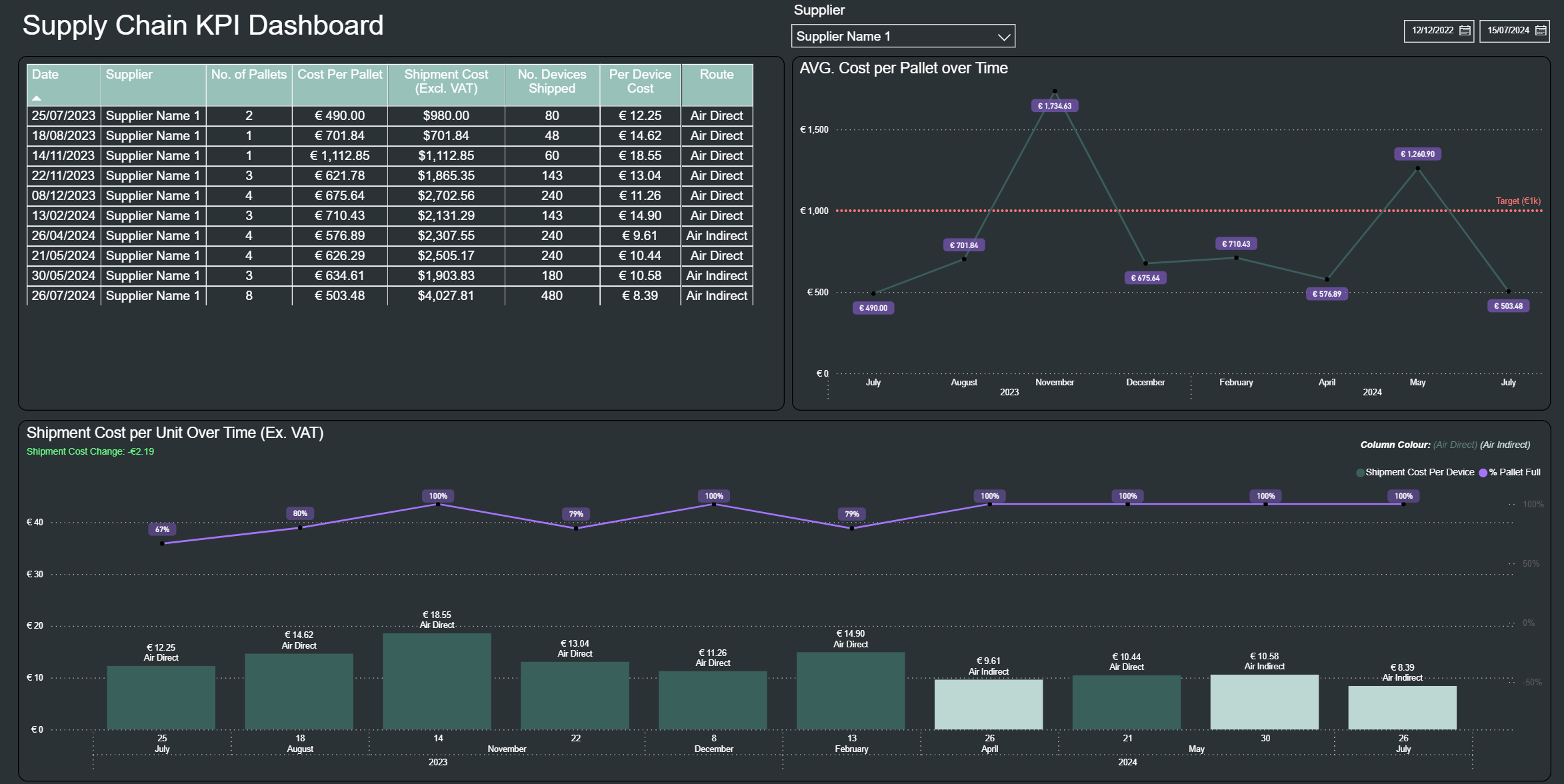
Inside the Dashboard: What Each Visual Shows
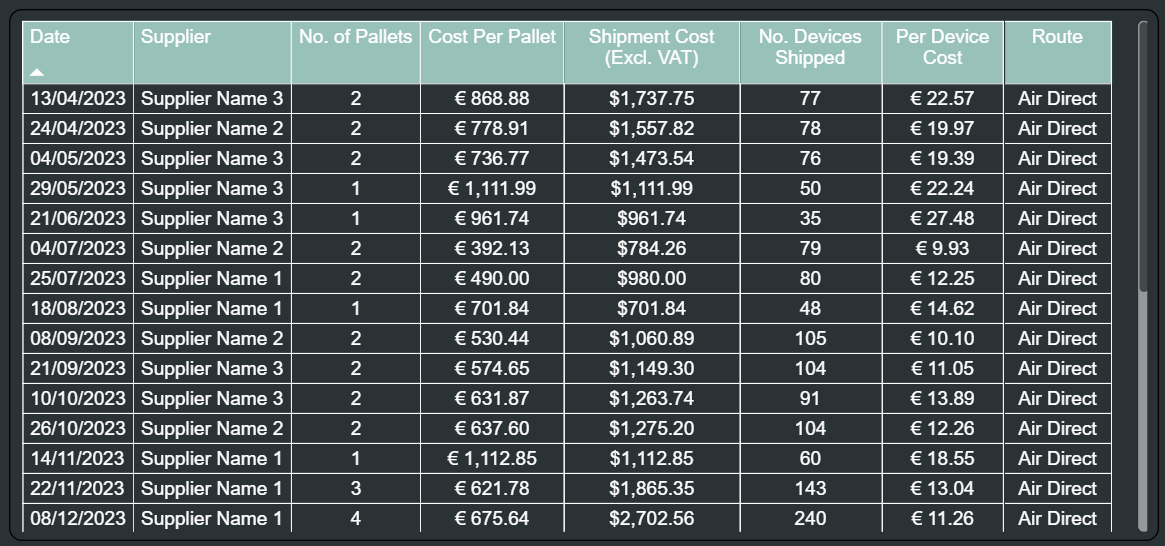
1. Shipment Data Table
This is the full log of every shipment.
It shows the supplier, pallets sent, shipment cost, devices shipped, and the cost per device.
It’s the foundation for understanding where your costs come from and how efficient each shipment was.
3. Shipment Cost per Unit Over Time
These controls allow you to instantly filter the entire dashboard by:
Specific supplier
Custom date range
Every visual updates automatically, helping you compare supplier performance or focus on a specific time window.
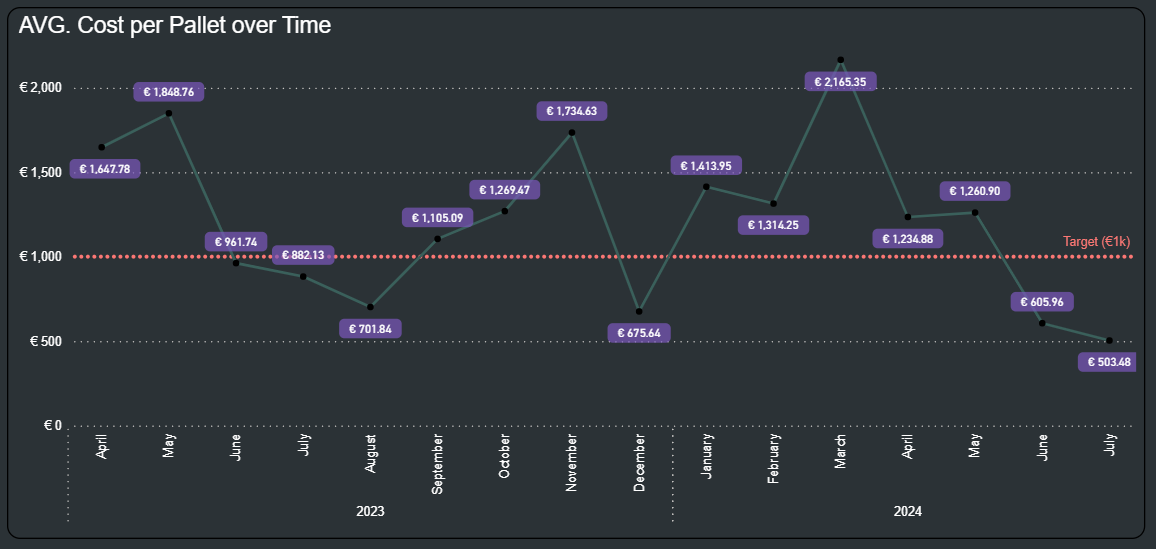
2. Average Cost per Pallet Over Time
This line chart shows how the average pallet cost has changed month-to-month.
It highlights expensive periods, improvements, and how performance compares against your target pallet cost (shown by the dotted line).
A quick way to answer:
“Are we paying more or less per pallet over time?”
Bars – Cost per Device Shows how much each individual shipment costs per device shipped.
Useful for identifying expensive shipments, comparing routes, and spotting unusual spikes.
Line – % Pallet Full Shows how efficiently space was used in each shipment.
High percentages mean highly efficient, fully utilised pallets.
Low percentages highlight wasted capacity that increases per-device cost.
Subtitle – Cost change between last two shipments
Green = cost decreased (good)
Red = cost increased
White = no major change
A quick directional indicator of performance.